Office "Bozuk Görüntü" 0xc000012f Hatası: Kesin Çözüm Rehberi (2025)
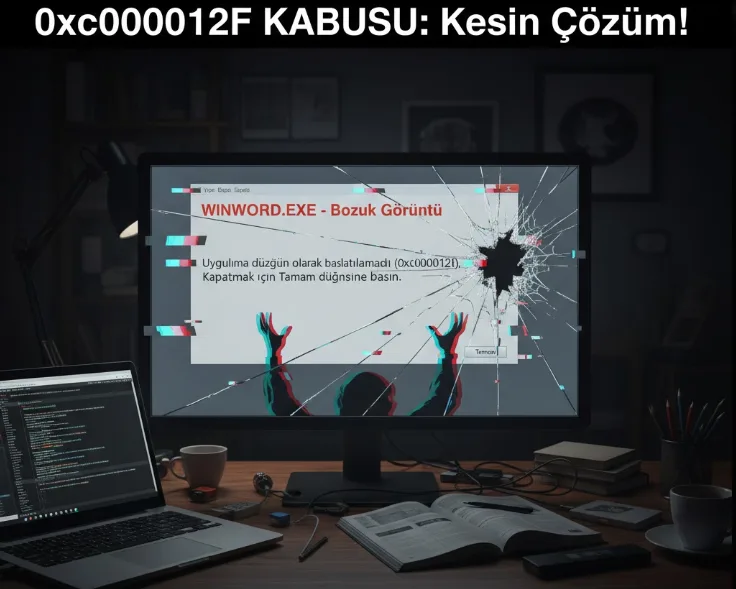
Office "Bad Image" 0xc000012f Error: Definitive Solution Guide
When you try to open Microsoft Office, Word or Excel WINWORD.EXE - Bozuk Görüntü titled, 0xc000012f If you encounter a window with an error code and you can neither repair nor delete the program, I completely understand the frustrating situation you are experiencing. After days of research, I got to the root of this stubborn problem and I share in this guide the definitive solution that will save you from this nightmare.

What's the problem? Errors I Encountered
It all started with a simple attempt to open a Word document. I come across Distorted Image error, problem C:\Program Files\Microsoft Office\Root\Office16\AppVIsvSubsystems64.dll He said it was due to his file. I tried the standard solutions, as most users would at this point, but each attempt led me deeper into the problem.
Why Don't Standard Solutions Work?
- Office Repair Failed: When I try to do "Online Repair" from Control Panel, this time too
OfficeClickToRun.exe - Bozuk GörüntüI got the error. So, the repair mechanism itself was broken. - Program Uninstallation Impossible: I received similar errors when I tried to delete Office via Add/Remove Programs. The program refused to be removed from the system.
- Microsoft Recovery Tool (SaRA) Helpless: Even Microsoft's own official removal tool said it couldn't detect an Office installation on my computer.
sfc /scannowandDISMIneffective: Windows system files were intact. The problem was entirely with the Office installation itself.
Real Problem: Corrupt Symlink Files
After days of research, I found the source of the problem: Corrupt symlink files. giving error .dll When I checked the files, they were not real files, 0 KB I noticed that they were broken shortcuts in size.
Due to a critical error during Office installation or an update, these corrupt shortcuts were created instead of the program's actual files. Therefore, the program could neither run, nor be repaired, nor could it be deleted.


Definitive Solution: Completely Uninstall Microsoft Office Manually
After this discovery, the solution became clear: All remnants of this corrupted installation were removed from the system, along with every file and registry entry. It had to be removed and disposed of manually.
Automatic Office Cleanup Code (.bat)
It is a tool that automates all the steps so that anyone can easily perform this complex process. .bat I prepared the script. When run as an administrator, this script does the entire cleaning process for you in seconds.
Instructions for Use:
- Copy the entire code below and create a Text DocumentPaste it into .
- Open the file with the "Save As" option. "Record type" as "All Files (*.*)" Check the option.
- to file name
OfficeTemizle.batwrite and save. - Right click on the file you created and "Run as administrator" and follow the on-screen instructions.
@echo off
:: #####################################################################
:: # Microsoft Office Otomatik Temizleme Scripti (0xc000012f Hatasi)   #
:: # UYARI: Bu script, Office kurulumunuza ait bilinen tum dosya ve    #
:: # kayitlari kalici olarak silecektir. YONETICI OLARAK CALISTIRIN.   #
:: #####################################################################
>nul 2>&1 "%SYSTEMROOT%\system32\cacls.exe" "%SYSTEMROOT%\system32\config\system"
if '%errorlevel%' NEQ '0' (
    echo Bu scripti calistirmak icin Yonetici yetkileri gerekiyor.
    echo Lutfen dosyaya sag tiklayip "Yonetici olarak calistir" secenegini kullanin.
    pause & exit
)
echo.
echo ====================================================================
echo == Microsoft Office "Bozuk Goruntu" Hatasi Otomatik Cozumu Baslatiliyor ==
echo ====================================================================
echo.
echo UYARI: Bu islem Office'e ait tum dosya, hizmet ve kayitlari silecektir.
echo.
echo DEVAM ETMEK ICIN BIR TUSA BASIN veya pencereyi kapatarak IPTAL EDIN.
pause >nul
echo.
echo [1/4] Office hizmetleri durduruluyor ve devre disi birakiliyor...
net stop "ClickToRunSvc" >nul 2>&1
sc config "ClickToRunSvc" start= disabled >nul 2>&1
echo      ...Tamamlandi.
echo.
echo [2/4] Office program ve veri klasorleri siliniyor...
if exist "%ProgramFiles%\Microsoft Office" rmdir /s /q "%ProgramFiles%\Microsoft Office"
if exist "%ProgramFiles(x86)%\Microsoft Office" rmdir /s /q "%ProgramFiles(x86)%\Microsoft Office"
if exist "%CommonProgramFiles%\Microsoft Shared\ClickToRun" rmdir /s /q "%CommonProgramFiles%\Microsoft Shared\ClickToRun"
if exist "%CommonProgramFiles%\Microsoft Shared\Office16" rmdir /s /q "%CommonProgramFiles%\Microsoft Shared\Office16"
if exist "%appdata%\Microsoft\Office" rmdir /s /q "%appdata%\Microsoft\Office"
if exist "%localappdata%\Microsoft\Office" rmdir /s /q "%localappdata%\Microsoft\Office"
if exist "%programdata%\Microsoft\Office" rmdir /s /q "%programdata%\Microsoft\Office"
echo      ...Tamamlandi.
echo.
echo [3/4] Office Kayit Defteri (Registry) kayitlari siliniyor...
reg delete "HKEY_CURRENT_USER\SOFTWARE\Microsoft\Office" /f >nul 2>&1
reg delete "HKEY_LOCAL_MACHINE\SOFTWARE\Microsoft\Office" /f >nul 2>&1
echo      ...Tamamlandi.
echo.
echo [4/4] Temizlik islemi neredeyse tamamlandi.
echo.
echo ====================================================================
echo ==                    ISLEM BASARIYLA TAMAMLANDI                  ==
echo ====================================================================
echo.
echo ONEMLI: Temizligin bitmesi icin bilgisayarinizi MUTLAKA yeniden baslatin!
echo Yeniden baslattiktan sonra office.com uzerinden temiz kurulum yapabilirsiniz.
echo.
pause
Conclusion
After running this script and restarting my computer, there was no trace of the corrupt Office installation left on my system. Then office.com The clean installation I made through was completed without any problems.
I hope this detailed guide and auto clear code, 0xc000012f Bozuk Görüntü It offers an ultimate solution for all those whose Microsoft Office failed to be deleted and repaired due to the error. If this article helped you, don't forget to share it so others can find it too!
Related Articles
The City Where Time Flows in Its Own Rhythm: Gothic Architectural and Cultural Touches in Prague
A journey from modern architecture to the fascinating atmosphere of the Middle Ages. From the engineering of the Astronomical Clock to the gothic sple...
Read More →The City Where Time Stops: Architectural Splendor and a Gastronomic Adventure in Vienna
A journey through the orderly streets of Vienna, the noble capital of Europe. From the gothic splendor of St. Stephen's Cathedral to Figlmüller's fam...
Read More →The Rhythm of Cities: An Architectural and Taste Journey from Manchester to London
A shift of perspective from the serenity of Manchester, the capital of the industrial revolution, to the never-sleeping dynamism of London. Beyond Bur...
Read More →